Online Image to PDF Converter
Click or Drop Images
Online Image to PDF Converter –Convert Images into PDF Online
In today’s digital-first world, converting images into PDF files is a daily need for bloggers, students, designers, and businesses. Whether you’re creating reports, sharing scanned documents, or combining multiple photos into one professional file, a fast and reliable Image to PDF Converter is essential.
That’s where Online Image to PDF Converter comes in. This powerful WordPress plugin lets users convert images into high-quality PDF files directly in the browser — without server load, watermark, or third-party services.
In this article, you’ll discover everything about this plugin: features, benefits, how it works, and why it’s perfect for your website.
🔥 What Is Online Image to PDF Converter PRO?
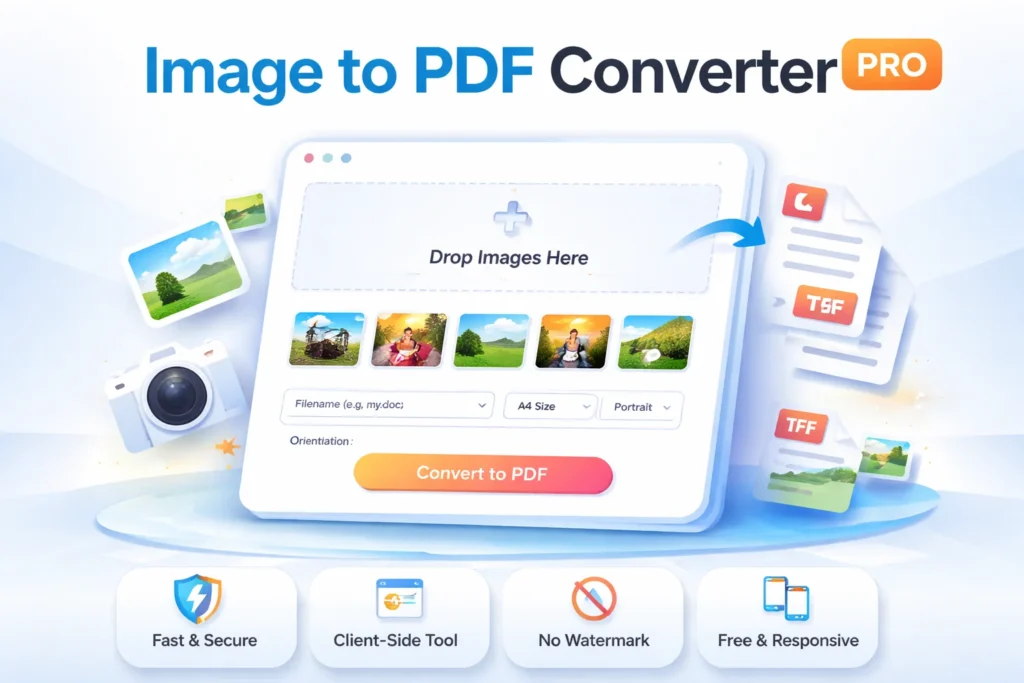
Online Image to PDF Converter PRO is a client-side WordPress plugin that allows users to upload multiple images and convert them into a single PDF file instantly. The entire process happens in the user’s browser using JavaScript (jsPDF), which means:
⚡ No server processing
🔐 Better privacy
🚀 Faster performance
It’s built with a modern, responsive UI and supports drag & drop uploads, image previews, page size options, margins, orientation, and even dark mode.
🚀 Key Features of Image to PDF Converter PRO
1. Client-Side Conversion (No Server Load)
All image-to-PDF conversion happens inside the user’s browser. Your server remains fast and secure, even with heavy traffic.
2. Drag & Drop Image Upload
Users can simply drop images into the upload area or click to select multiple files at once.
3. Live Image Preview & Reordering
Before converting:
Preview all images
Move images up/down
Remove unwanted images
This gives full control over PDF page order.
4. Page Size & Orientation Options
Users can choose:
📄 A4
📃 Letter
📐 Auto Size
And set:Portrait or Landscape mode
5. Margin Control
Add custom margins (in mm) to make the PDF look clean and professional.
6. Custom Filename
Users can name their PDF file before downloading.
7. Dark Mode Support
With a single toggle, users can switch to dark mode for a better visual experience.
8. Mobile-Responsive UI
Works perfectly on:
Desktop
Tablet
Mobile phones
🧩 How Online Image to PDF Converter PRO Works
Here’s the simple flow:
User uploads images
Images appear in a preview grid
User sets options (size, orientation, margin)
Clicks Convert to PDF
PDF is generated instantly in the browser
File is downloaded automatically
No redirects. No ads. No tracking.
📈 SEO Benefits for Your Website
Adding this tool to your website is not just helpful for users — it’s great for SEO too:
Increases time on page
Reduces bounce rate
Attracts users searching for:
“convert image to pdf online”
“image to pdf free tool”
“jpg to pdf WordPress plugin”
It’s perfect for:
Utility websites
Tool blogs
SaaS landing pages
Digital service portals
🔐 Privacy & Security Advantages
Unlike server-side tools, this plugin:
Doesn’t upload files to your server
Doesn’t store user images
Keeps everything inside the browser
This makes it ideal for sensitive documents.
You can also use our powerful Online JPG to PDF Converter to quickly turn JPG images into a single PDF file with high quality and no watermark.
📊 Why Image to PDF Converter PRO Is Better Than Other Tools
| Feature | This Plugin | Typical Online Tools |
|---|---|---|
| No Upload to Server | ✅ Yes | ❌ No |
| Fast Client-Side | ✅ Yes | ❌ Often slow |
| No Watermark | ✅ Yes | ❌ Often added |
| WordPress Integration | ✅ Native | ❌ External |
| Dark Mode | ✅ Yes | ❌ Rare |
| Image Reordering | ✅ Yes | ❌ Limited |
🌟 Final Thoughts
Online Image to PDF Converter PRO is not just another plugin — it’s a complete, professional-grade tool for your WordPress website. With its clean UI, powerful client-side engine, and advanced features like dark mode, preview sorting, and custom margins, it delivers both performance and user satisfaction.
If you want to offer a fast, secure, and modern Image to PDF Converter Online Tool on your website, this plugin is the perfect choice.